Building Your Personal Knowledge Base with Voice Notes
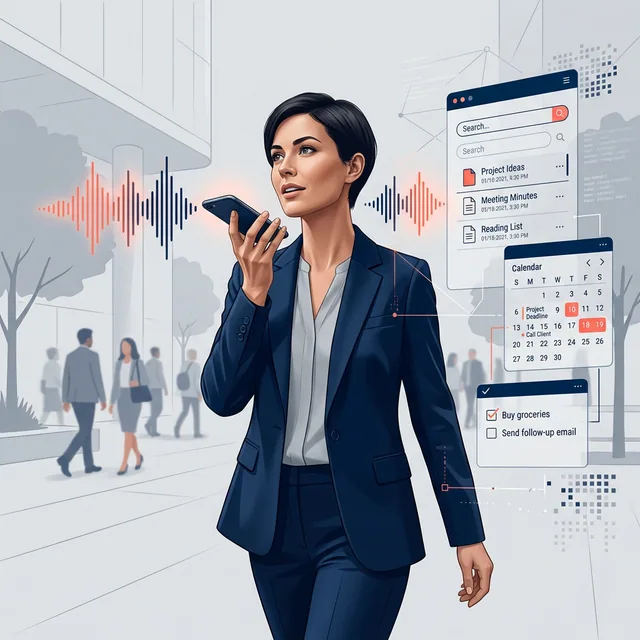
Busy days leave details between tasks: after a meeting, during a quiet break or at the end of a project session. Record a note when you can stop safely and speak comfortably.
A voice-based personal knowledge base gives those details a place to go. Save enough context to find the note later, then check the source when you retrieve it.
What "personal knowledge base from voice" really means
A personal knowledge base is not just a folder of notes. It is a living archive of decisions, commitments, observations, and context, organized in a way that supports recall and execution.
Voice can be a convenient capture method when it fits the setting. Manual notes remain useful when speaking is awkward or you need to edit precise wording.
Why a voice-first approach works when text-based systems fail
Text-first systems assume you will stop, open an app, choose a notebook, type cleanly, and file the result. That is realistic only for a small portion of the day.
Voice-first systems accept the messy truth: insights arrive in fragments, tasks are spoken aloud, and "I'll remember later" is a reliable way to forget.
A strong voice workflow supports moments like these:
- quick debriefs right after a meeting
- fleeting ideas during commutes
- on-the-go reminders you do not want to retype
- daily logs that build a record you can audit later
How Chela turns voice into a searchable knowledge base
Chela is built as a voice-first AI notetaker and personal operating system for iOS and Android. You speak naturally, and the system converts that raw audio into structured intelligence: transcripts, organized notes, tasks, habits, and measurable life metrics.
The flow is designed to minimize friction. Capture is the starting point, not a ceremony.
Chela records audio and processes it into text and organised information. Check names, dates and quantities before relying on an extracted task or metric.
From raw audio to structured memory: a clear pipeline
Most voice note tools stop at transcription. A personal knowledge base goes further by turning speech into something you can use later, across contexts.
Chela's pipeline is commonly experienced in four stages:
|
Stage |
What you do |
What the system produces |
Why it matters |
|---|---|---|---|
|
Capture |
Speak a thought, update, or request |
Raw audio |
Removes capture friction |
|
Transcribe |
Keep talking naturally |
Readable text |
Makes voice scannable and searchable |
|
Structure |
Mention actions, dates, metrics |
Extracted tasks, reminders, habit signals |
Turns talk into execution |
|
Retrieve |
Search or ask a question |
Relevant notes, snippets, summaries |
Provides a source to review |
This structure is what changes voice notes from "recordings you never replay" into an actual professional asset.
Search that feels like recall, not filing
A personal knowledge base is only as good as retrieval. If you cannot find something quickly, you stop trusting the system and go back to keeping everything in your head.
Chela supports natural-language retrieval, so you can search the way you think. That includes classic keyword lookups and semantic search that aims to match meaning even when you do not remember the exact phrasing.
After you have built a few days or weeks of logs, you can ask for specifics and context, like what someone recommended, what was decided, or what action items came out of a prior conversation. For many professionals, that is the turning point: the system starts functioning like an external memory, not a note pile.
Notes that create tasks, habits, and measurable metrics
Professional life mixes knowledge work with operational work. "Remember this" and "do this" arrive in the same breath.
Chela is designed to recognize that blend and translate spoken updates into structured outputs you can track. If you say something that sounds like a commitment or reminder, it can become a task. If you speak in a tracking pattern (sleep, workouts, hydration, meals, routines), it can be logged as a metric.
That means your knowledge base is not separate from your execution system. It is the same stream, shaped into different views.
Common outcomes from a single voice entry include:
- a clean transcript you can reference later
- tasks and reminders you can complete
- daily metrics that build trends over time
Where a voice-based knowledge base fits in real work
The value shows up fastest in environments where typing is disruptive or unrealistic, and where context matters more than perfect formatting.
After a conversation-heavy day, voice logs act like a durable record. After a field-heavy day, they act like a timeline. After a research-heavy day, they act like a searchable lab notebook.
Teams and individuals often use a voice-based knowledge base to support:
- Meeting capture: Record decisions, objections, open questions, and next steps.
- Project context: preserve a permitted personal debrief, then move checked decisions into the approved project record.
- On-site observations: stop in a safe place and record a permitted debrief after the work.
- Solo creator work: Capture ideas, editorial plans, and creative direction while moving.
Practical workflows you can start today
The fastest way to build a useful knowledge base is to standardize what you say, not to over-engineer where it goes.
A simple rhythm works well: quick capture during the day, short debrief at day's end, then search and reuse the material when planning.
A few logging patterns you can try:
- Context first: Start with who or what this is about, then the point.
- Action language: Say "remind me," "follow up," "due," or "next" when you want tasks extracted.
- Numbers out loud: Speak durations, quantities, and targets to support metric tracking.
If you want a lightweight setup process, these steps keep it realistic:
- Pick two capture moments each day (after meetings, end-of-day recap).
- Use one consistent naming habit ("Client X debrief," "Lab notes," "Site walk").
- Search your own logs weekly to confirm you can retrieve what matters.
- Promote repeat items into routines so they become easier to track.
Privacy, control, and regulated-industry realities
Voice is personal data. A professional-grade system needs clear controls, secure storage, and a straightforward way to delete what you do not want stored.
Read Chela’s privacy policy and your organisation’s requirements before recording work material. Chela is not established here as an approved clinical or legal record system, a BAA-backed service or a source of regulated-industry certification.
After you map your organization's requirements, it helps to think in control layers:
- Security posture: Encryption, access controls, and safe sync patterns.
- Data lifecycle: Retention choices and deletion when projects end.
- Operational boundaries: When to record, where to record, and who has access to the device.
What you get with a voice-first personal operating system
A voice-based personal knowledge base becomes most powerful when it stops being a "note habit" and starts being your default intake channel.
Chela's approach is built around that idea: voice in, structured intelligence out, then search across your recorded notes and their captured context so your memory is usable in the moments that matter.
If you want a knowledge base that grows without demanding more screen time, voice is the most natural place to start.
Leveraging Technology to Enhance Memory
A capture routine is useful when you can maintain it and retrieve the information later. Try it with a few real notes before expanding the system.
A voice-first system like Chela is designed to meet you where you already are: in conversation, in motion, thinking out loud. Instead of asking you to change how you operate, it adapts to how you already think and speak.
That shift — from tool that demands effort to system that rewards your natural patterns — is what turns a knowledge base from aspirational to actual. Your voice becomes the interface. Your daily life becomes the source of record. And your future self gets an external memory that keeps up.
Frequently Asked Questions
What is a personal knowledge base? +
How do voice notes help build a personal knowledge base? +
Can I search my voice notes like Google? +
How do voice notes automatically become tasks and habits? +
Is a voice-based knowledge base secure and private? +
What is the best app to build a second brain with voice? +
Your Voice. Your Memory. Your Edge.
Chela can turn a recorded voice note into searchable information, tasks and metric entries. Open the app to capture, then review what was saved.